Working with parts
The document is one primitive, but it is not one lump. Every part has an index, and everything — colour, transparency, visibility, position, material, picking — is addressed by it.
A colour per part
Set Node Color takes an index and a colour. A part starts in the colour the file gave it, and the file's own colours are drawn whether or not you ever set one.
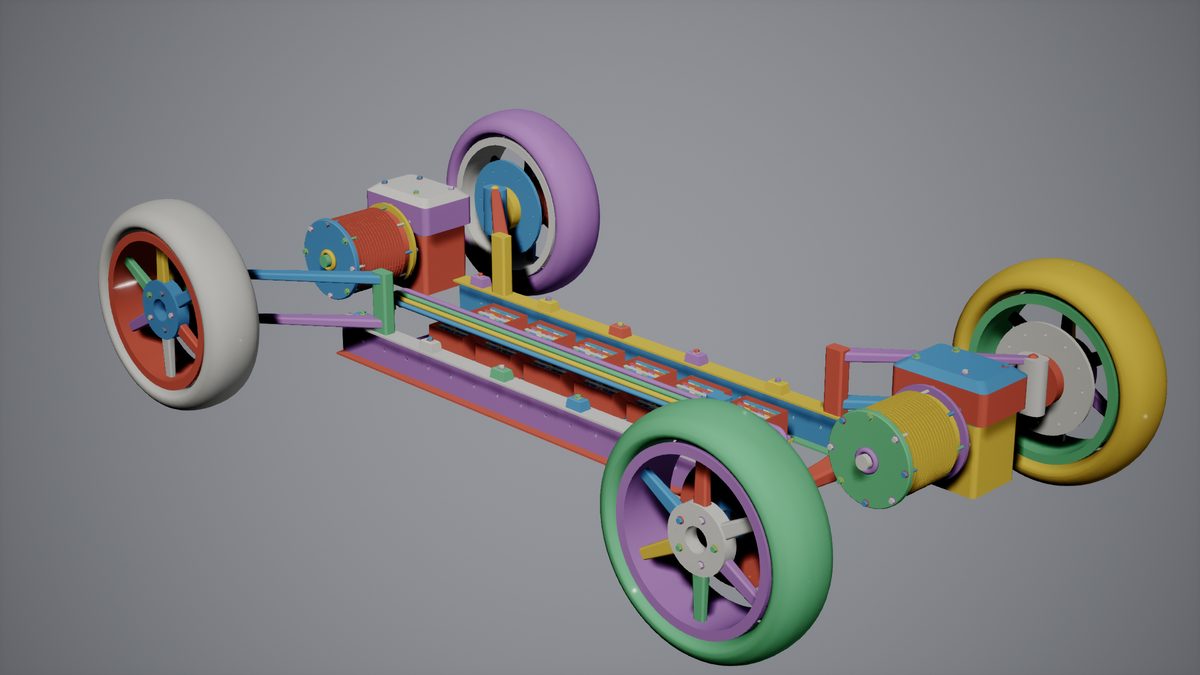
It is a vertex attribute rather than a material parameter, which is what lets parts of different colours still share one draw call. The buffer that holds it is four bytes a vertex; a project that never recolours anything can save that memory with Use Vertex Color Buffer off at load. Set Node Opacity makes a part see-through in the same way — the way to look inside an assembly without sectioning it. A part drawn from its surfaces ghosts as soon as you set it; a meshed one needs a material that reads the alpha, which the plugin ships as MI_Cadaclysm_Ghost. Translucency the file carries is not drawn on either path: a part marked 40% in the file arrives solid, and is ghosted when you ask for it. and Set Node Style sets a part's metallic, roughness and emissive.
Which part was clicked
Trace Node takes a ray and answers which part it hit and where. From a mouse click, deproject to a ray and trace; from a physics hit, Get Hit Node turns the hit into a part index. Against a surfaced part the trace is answered by the faces themselves, so it is exact rather than as exact as a tessellation.
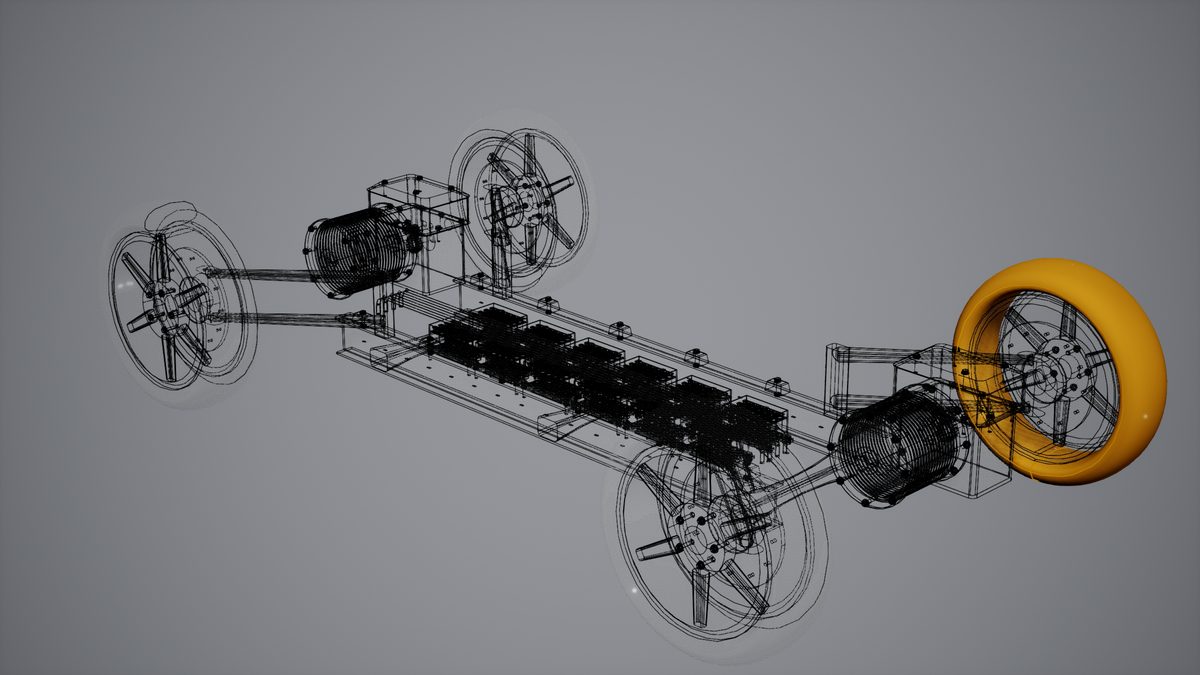
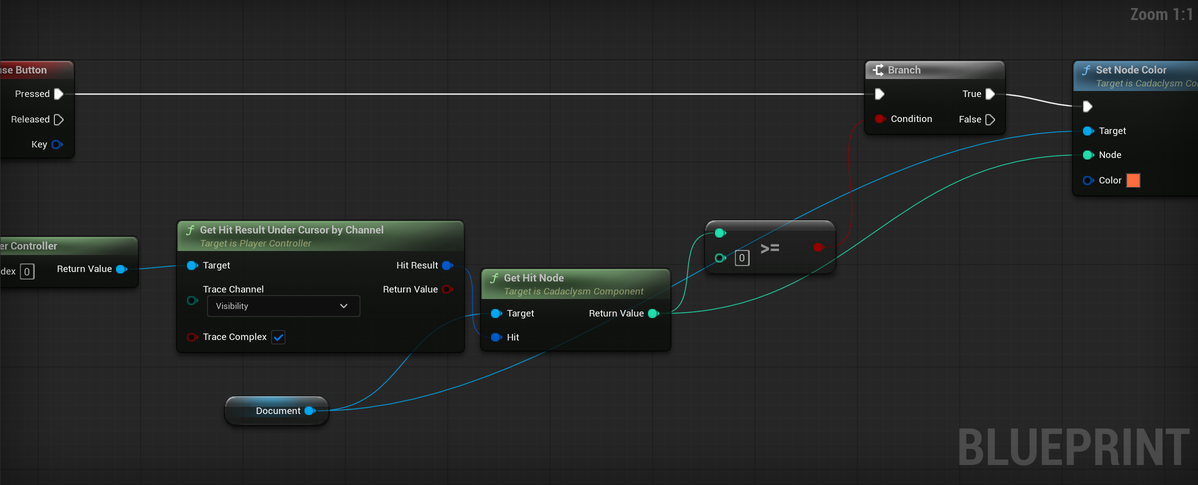
A selection is not a feature of the plugin so much as a recipe: colour the part, highlight its lines, ghost the rest. What the part is called, and what the file said about it, comes from Get Node Details.
An exploded view
Set Node Transform moves one part within the document — it composes with the placement the file gave it rather than replacing it — and Set Node Visible hides one. Both are live, and both are cheap enough to do to every part of an assembly in one frame.
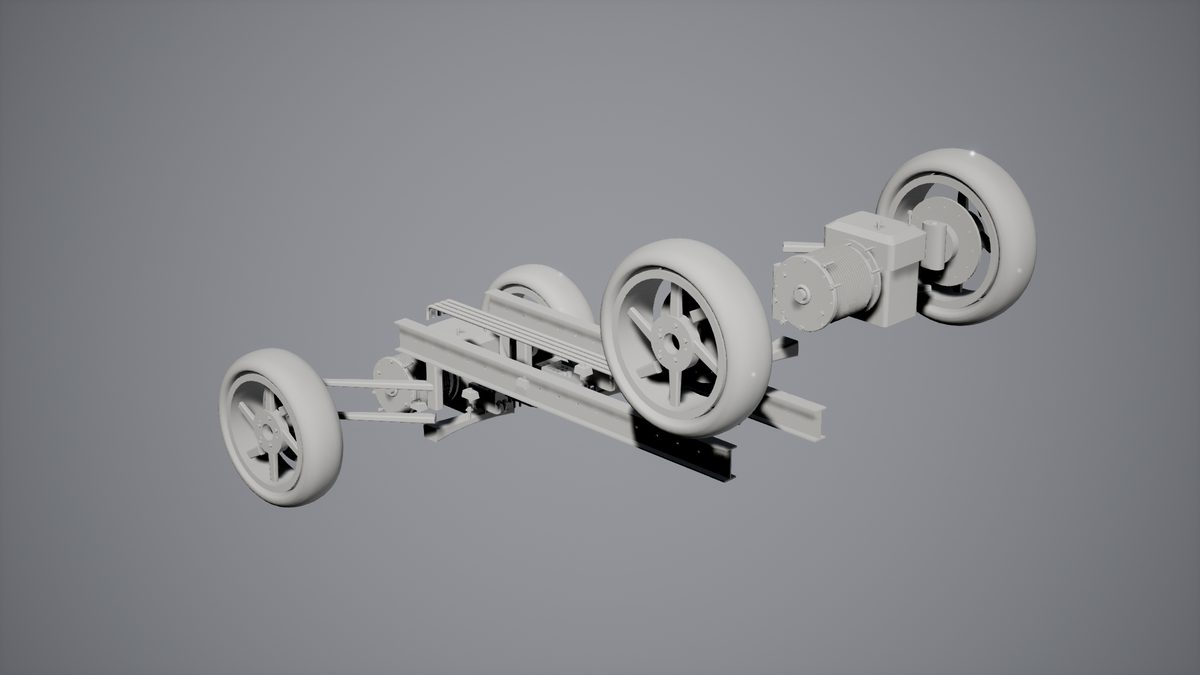
The component's own bounds follow a moved part, so a part moved outside the document's original box is not culled away while it is still in view. Set All Nodes Visible shows or hides everything at once, and Get Visible Node Count answers how much is showing.
All of this works the same on both components. A part drawn from its surfaces carries its colour and its transform in buffers the tessellation reads, so colouring, ghosting and moving reach it exactly as they reach a meshed part — the three pictures on this page are of a document drawn from its surfaces.
Slots, and one caveat
The component has material slots like any primitive, and Set Node Material Slot puts a part in one of them — glass for the windows, metal for the frame. Parts in the same slot that sit next to each other in the buffers still share a draw.
The caveat: a document drawn from its surfaces draws in the plugin's own material whatever the slots say. The surface path's opacity mask reads a distance the tessellation writes into a texture coordinate that the mesh path does not have, so the two cannot share a material graph. It is the same material the mesh path uses, plus that clip.
The query language
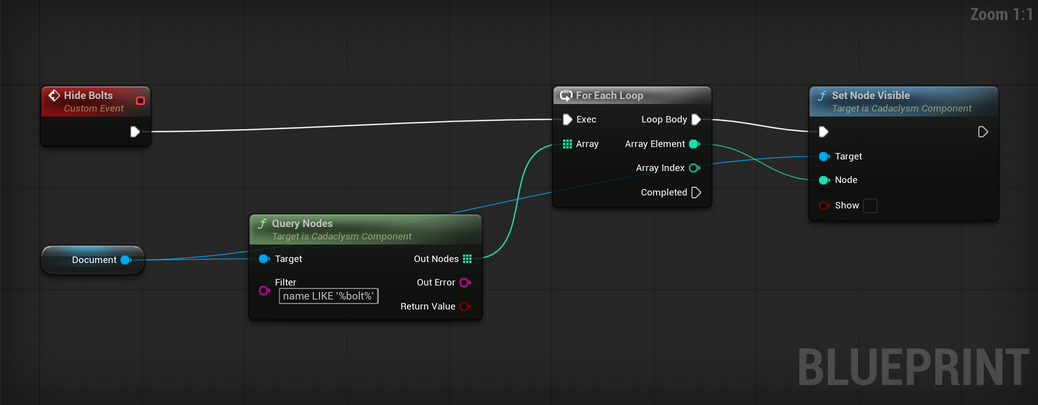
Query Nodes takes a filter in the same query language the rest of cadaclysm uses — a SQL-like WHERE over a part's name, its properties and its place in the tree — and hands back the indices that match. Hide every fastener, colour one supplier's parts, count the modules.
TArray<int32> Bolts;
FString Error;
Document->QueryNodes(TEXT("name LIKE '%bolt%'"), Bolts, Error);
for (const int32 Node : Bolts)
{
    Document->SetNodeVisible(Node, false);
}
This needs the file's tree, which the component keeps unless Keep Document For Queries was off when it loaded.
Bodies for parts
Generate Collision, set before the load, fits one convex hull per part, with Hull Triangle Budget triangles at most (255 by default). One convex hull fills in whatever is concave about a part: an open box collides as a closed one. Two settings keep the inside:
- Max Hulls Per Part (1 by default) decomposes a concave part into up to that many convex pieces, split until each follows the part to within half a percent of its size: an open box comes out as its floor and its walls. Every piece is convex, so a part let go keeps its inside as it falls. Convex parts stay one piece.
- Use Complex Collision As Simple collides with the document's own triangles, exactly, for a document that stays put — a shelf, a floor, a fixture. Chaos cannot simulate a body of triangles, so a document that is let go keeps its convex bodies.
Both are read when the document loads, like Generate Collision. The fitted bodies can be read back with Get Collision Element, Get Collision Element Hull and, for a decomposed part, Get Collision Element Piece Count and Get Collision Element Piece, to draw or to inspect.
For parts that move independently, the Cadaclysm Part Bodies Actor keeps the single primitive and gives each part its own rigid body; Set Simulate Physics turns them loose. For projects that would rather have ordinary Unreal actors, the Cadaclysm Static Mesh Actor hands every part to the engine as a static mesh component, optionally built as Nanite.
Both collision properties are read when the document loads. Refitting needs the file itself, and the component closes it once its buffers are built — which is what lets a very large assembly be drawn without being held twice.