Kernel
Build exact geometry, keep it exact
One B-rep kernel, in Rust, behind a C ABI. The readers bring a file in as exact surfaces; the modelling half — we call it the blacksmith — builds new solids and assemblies with the operations a CAD package offers; the mesher and the GPU draw them; the writers put them back out. Every face it makes is an exact surface, never a sampled polyline dressed up as one: a hole is a cylinder of radius 4, and a coarser mesh is fewer triangles on the same circle.
It ships as one library, cadaclysm, that reads, meshes and builds — or a smaller flavour of it — with wrappers for Python, C#, Go, Java, Node.js, Rust, Swift and LuaJIT, and the same code compiled to wasm for the notebooks and the forge. The Rust crates underneath are available under an enterprise source agreement.
The idiom
A sketch, a workplane, a solid
A profile is a closed sketch in a plane — a rectangle, a circle, a polygon, a NURBS — that can carry holes. A workplane is where it sits and what happens to it: extrude it, revolve it, sweep it along a path. Then combine solids, pick edges, fillet them, place them in an assembly, and write the result out.
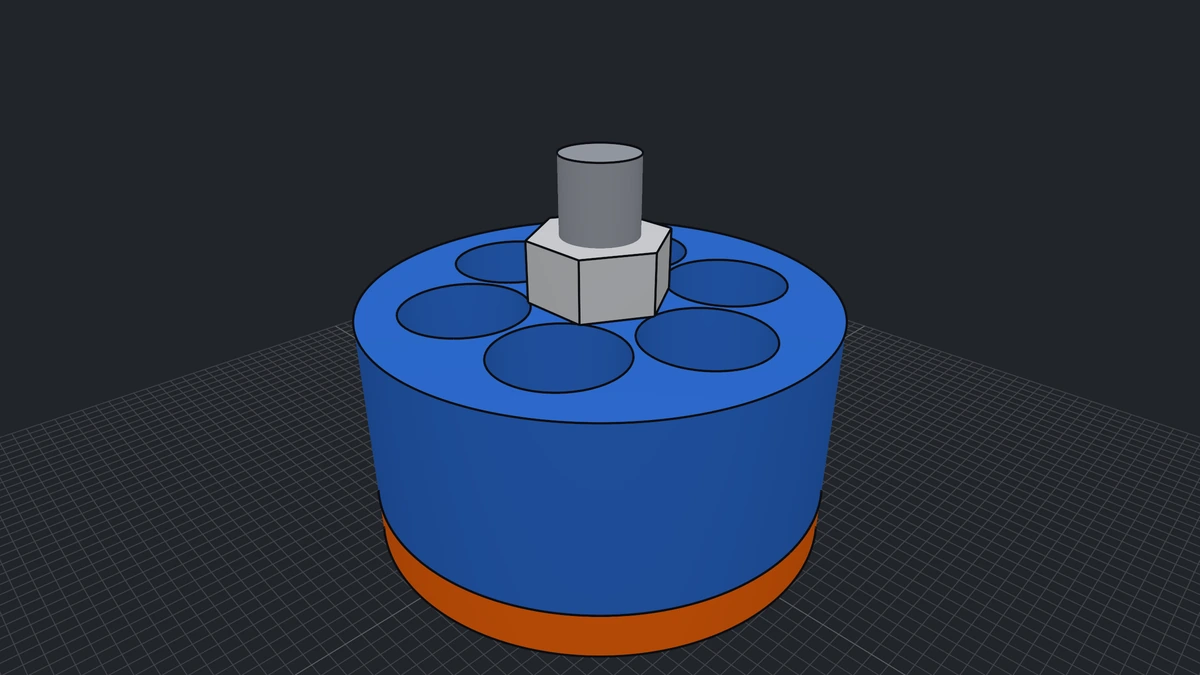
A face is picked by geometry — furthest along an axis, facing a direction — never by a name or a list index a caller would have to keep in sync with the shape by hand. The motor pictured is the notebook's motor example, built from these calls alone.
Python
A plate with a hole and a pin
The example the module opens with. An 80 × 40 plate, 6 thick, an 8 mm bolt hole, a pin seated on the top face, the plate's four vertical corners rounded, and the part written as STEP and meshed.
from cadaclysm_blacksmith import Axis, Profile, Selector, Workplane

outline = Profile.rect(80, 40).with_hole(Profile.circle(4))
plate = Workplane.xy().extrude(outline, 6).solid()

pin = (Workplane.from_solid(plate)
       .faces(Selector.max(Axis.Z)).workplane()   # the top face is now the sketch plane
       .cylinder(5, 10).solid())
part = plate.join(pin)

corners = [e for e in part.edges                          # the plate's own corners:
           if e.is_line and abs(e.direction[2]) > 0.99    # vertical lines
           and all(part.face_kind(f) == "plane" for f in e.faces)]  # between planes
part = part.fillet(corners, 1.0)

part.step("plate.stp")
positions, normals, indices = part.mesh(tolerance=0.05)
Every step raises at once with the library's own message rather than latching the first error until some final call. The mesh and edge polylines come back as read-only numpy copies, which outlive their solid and any later mesh at another tolerance. The same calls, in every language, are on the examples page.
Operations
What it builds, and what each one is
| Family | Calls | What it makes | Run it |
|---|
| Sketches | Profile.rect Profile.circle Profile.slot Profile.polygon Profile.star Profile.spline Profile.text Path | Closed or open curves in a plane — lines, arcs, Bézier, NURBS and conics — that can carry holes: offset, rounded, trimmed against each other, or set as text from a font. A NURBS side stays a NURBS. | try it · reference |
| From a sketch | extrude extrude_tapered extrude_between revolve sweep pipe coil loft loft_through face | A profile lifted, tapered, turned, carried along a path of lines and arcs, wound into a helix, or bridged through any number of sections. Planes, cylinders, cones and exact extrusion and revolution surfaces; sweep corners mitred with exact elliptical rims. | try it · reference |
| Primitives | cuboid cylinder cone sphere torus wedge pyramid | Closed solids, each made of its own analytic surfaces. | try it · reference |
| Booleans | join cut common trim split split_by_plane section intersect | An exact B-rep whose faces are pieces of the inputs' own faces: the wall of a peg through a plate is still a cylinder. Only the new edges, where the two meet, are found on meshes at a tolerance. | try it · reference |
| Edges and faces | fillet chamfer refillet unfillet rechamfer unchamfer push_pull shell thicken | Face surgery, not booleans: cylinders along straight edges, torus bands along arcs, sphere patches where three meet. A fillet can be resized or removed later; a face pushed or pulled; a solid hollowed to a wall with chosen faces opened. | try it · reference |
| Moves | translate rotate mirror place scaled | Rigid moves of a finished solid, and a uniform scale; a workplane's face selection survives them. | try it · reference |
| Assemblies | Assembly place link joint pair state base | Parts and sub-assemblies placed in one tree, with rigid links, joints and each joint's pair — its kind, axis and range — named states and each mechanism's base — kept in the file it is written to, and posed by the reader. | reference |
| Collisions | Collider check | Every placed part meshed once, grouped by the link it rides on; one call per pose says which groups touch and where, with its own broad phase inside. | reference |
| Measure | bounds hits section face_kind edges is_watertight manifold | What a solid is: its boxes, where a line meets it, a slice at a height, the kind of every face, every edge's curve, and whether it is closed. | reference |
| Out | step sat brep write_3dm svg mesh edge_polylines fem_mesh | STEP with every edge a true line, circle or conic, ACIS SAT, OCCT .brep, .3dm (assemblies as blocks) and SVG drawings; triangles and edge lines at a tolerance you name, watertight, for an engine; a mesh for simulation, saved as Gmsh .msh. | try it · reference |
| Machining | Job face contour pocket drill machine gcode | Toolpaths from the solid and its profiles — facing, contours, pockets, drilling, or a whole part at once — checked into a report and written as G-code. | reference |
Every sweep, revolve, loft and extrude also has an _open form that leaves the ends off and returns a sheet rather than a solid — a curve swept to a surface. “Try it” opens the notebook on an example that runs in your browser; “reference” is the call-by-call page, the same in every language.
Assemblies
Parts that move, in the file
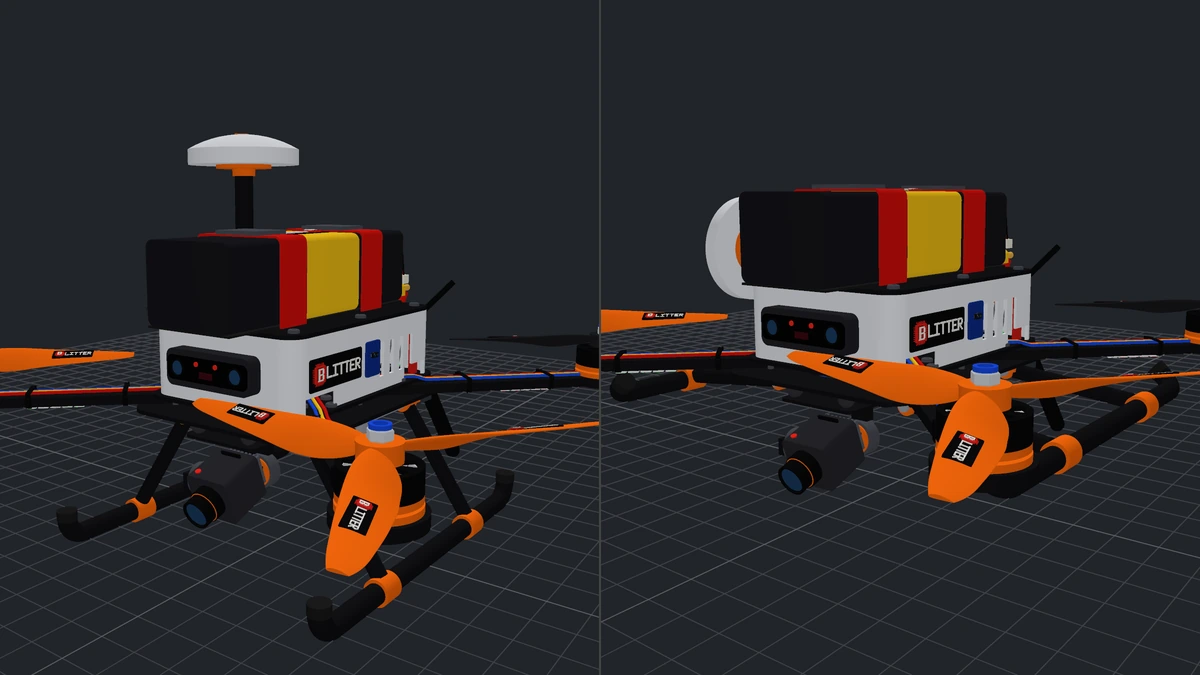
An assembly places solids and sub-assemblies, groups them into rigid links and joins the links with joints. Each joint carries its pair — the axis, the range — and an assembly names its states and its fixed base. They travel with the file it writes: the reader poses any joint or state, and a collider sweeps a joint through its range against everything else.
Pictured: the quadcopter at rest, then in its retracted and folded states.
See it play in your browser →
from cadaclysm_blacksmith import Assembly

# The same parts as an assembly: the bell turns on the base, a joint about Z.
motor = Assembly("motor")
motor.link("base", [motor.place(base, Frame.xy())])
motor.link("bell", [motor.place(p, Frame.xy()) for p in (bell, shaft, nut)])
motor.joint("bearing", "base", "bell")
motor.pair("bearing", "revolute", Frame.xy())
print(motor.step_text().count("REVOLUTE_PAIR"), "revolute pair")
Closed chains
Six legs, one platform
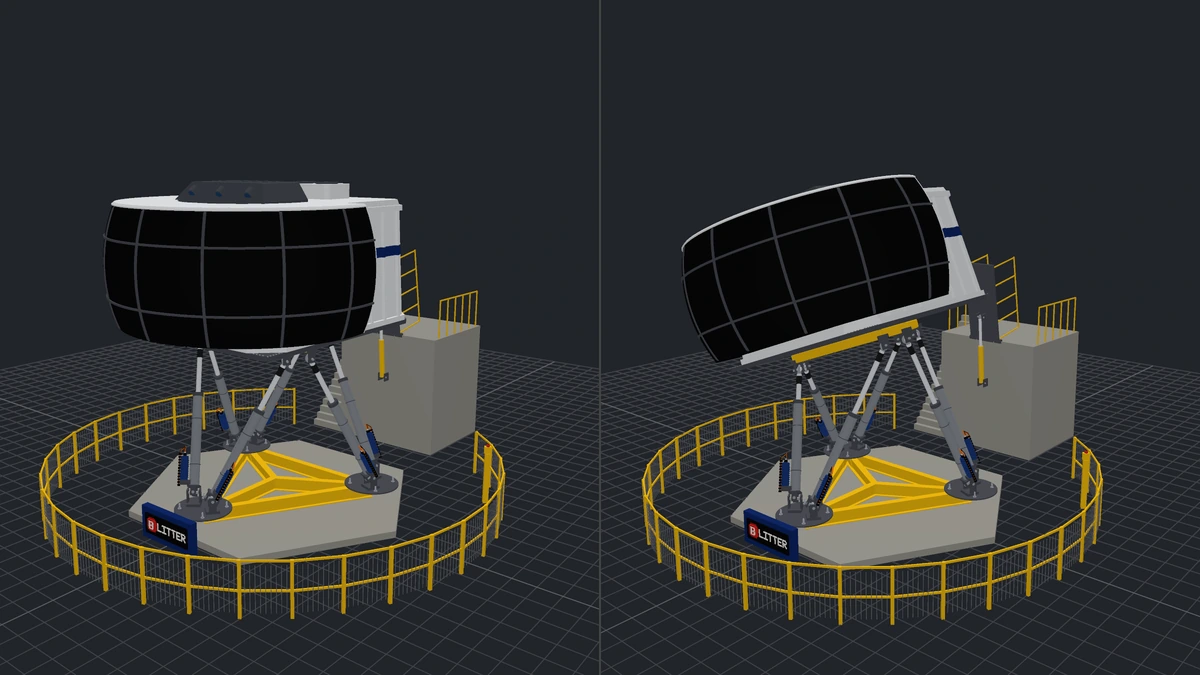
A motion base is six closed loops: each leg runs from the floor through a universal joint, an actuator and a spherical joint to the same platform. The file carries every pair and every state; the states are solved before they are written, so each one closes all six loops exactly, and the reader poses them as they were made.
Pictured: a flight simulator built with the kernel, at neutral and in its banked turn state.
Mechanisms on terrain
Six wheels on the ground
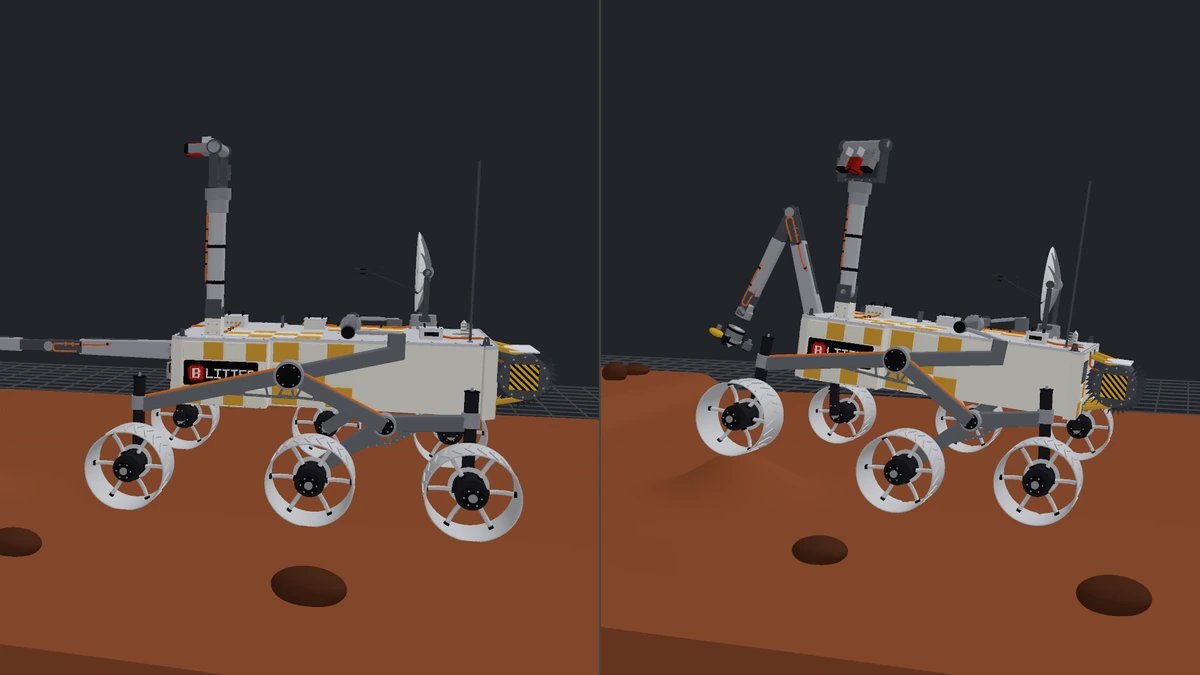
A rocker-bogie keeps six wheels on rough ground: two rockers, two bogies and a differential that tips one side up as the other goes down. The rover stands on its terrain through a free joint, and each state is solved so every wheel touches the ground before it is written; the reader poses it as it was made.
Pictured: a Mars-rover-style rover built with the kernel, at rest and in its climbing rock state.
Selectors
A face is picked by geometry
| Selector | Picks |
|---|
Selector.max(axis) | The face whose boundary centroid sits furthest along the axis — max(Axis.Z) on a box at the origin is its top. |
Selector.min(axis) | The same, furthest the other way. |
Selector.normal(dir) | The face whose outward normal is most nearly the direction. |
Selector.index(i) | The face at that index in the solid's own list, for when you know. |
Edges are picked in the host language, from what the solid says about them — is_line, direction, the kinds of the two faces they sit between — which is how the plate above finds "its vertical corners" without naming anything.
Join, cut, fillet
The plate on this site
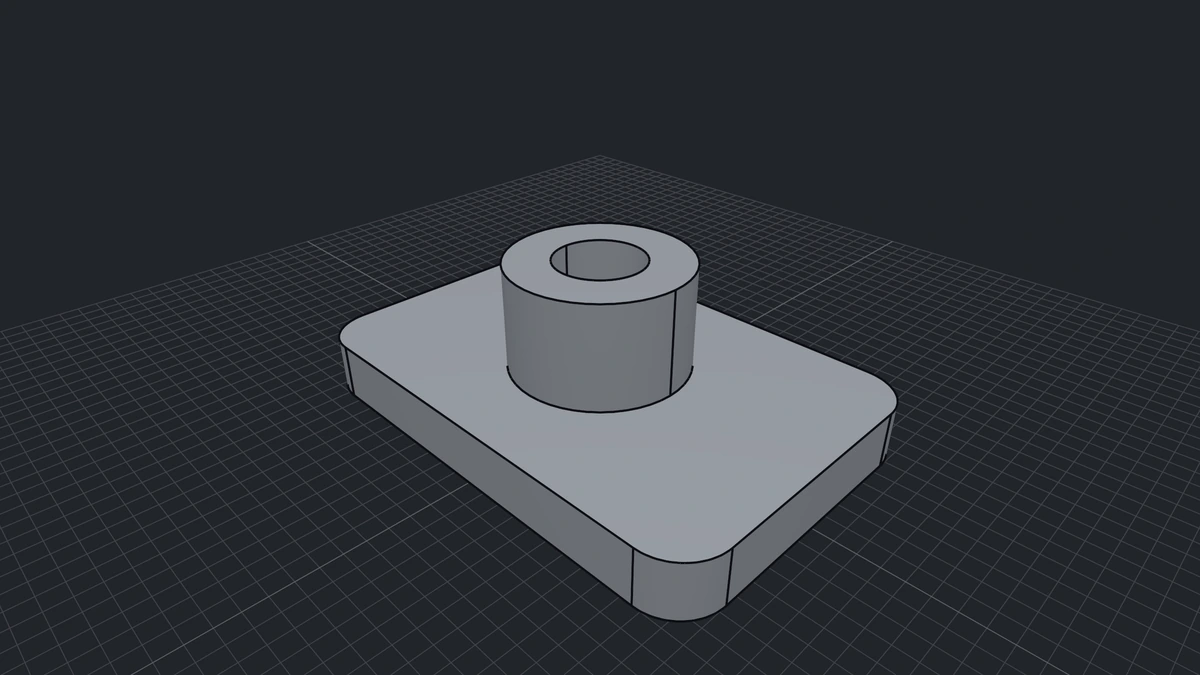
A 120 × 80 × 14 plate, a boss joined on its top face, an 11 mm bore cut through both, the four corners filleted at 12, and written out to a file the readers open like any other.
from cadaclysm_blacksmith import Axis, Profile, Selector, Workplane

plate = Workplane.xy().extrude(Profile.rect(120, 80), 14).solid()
boss = (Workplane.from_solid(plate)
        .faces(Selector.max(Axis.Z)).workplane()
        .extrude(Profile.circle(22), 26).solid())
part = plate.join(boss)

bore = Workplane.xy().extrude(Profile.circle(11), 60).solid().translate(0, 0, -10)
part = part.cut(bore)

corners = [e for e in part.edges
           if e.is_line and abs(e.direction[2]) > 0.99
           and all(part.face_kind(f) == "plane" for f in e.faces)]
part = part.fillet(corners, 12.0)
part.step("bracket.step")
Tolerances
Two numbers, said out loud
Booleans default to a tolerance of 0.05, the one the crate's own boolean tests run at: the new edges where two solids meet are found on their meshes, and that is the mesh's tolerance. Fillets, chamfers and shells default to 1e-6, because they cut exact surfaces and need no mesh. A long boolean reports progress through a callback rather than going quiet.
Imports
A part from a file is a solid too
Solid.open("housing.step") reads a STEP, ACIS, Rhino, OCCT .brep, IGES, IFC or OpenSCAD body as a solid to cut, fillet, join with parts built here and write back out; Solid.from_node(scene, node) takes one body of a scene the reader already has open. The reader's exact surfaces are shared with the kernel, never copied or re-meshed, so the reader and the kernel must come from the same build — in one library they always do, and the call checks. An OpenSCAD file reads to exact solids too where the kernel is present (Solid.open("part.scad"), a regular polygon for $fn from 3 to 12; hull, twisted extrusions and anything the kernel refuses come out faceted and still take part in exact booleans, each reported in the document’s diagnostics; minkowski is not supported), and writes to STEP; in the reader alone it stays a mesh, with a diagnostic saying so, and a flat 2D shape is a sheet, not a solid.
What an imported solid can do is what its geometry allows. Fillets and chamfers want edges that are lines and circles. Booleans take any surface, but the edges they trace across a free-form (NURBS) face are not always writable back to STEP. Every verb meshes its operands first, so the cost grows with the part: a 3,000-face import is seconds, not milliseconds. A body placed by a scaling transform is refused, since a brep cannot follow a scale exactly.
Drawing
Surfaces stay surfaces
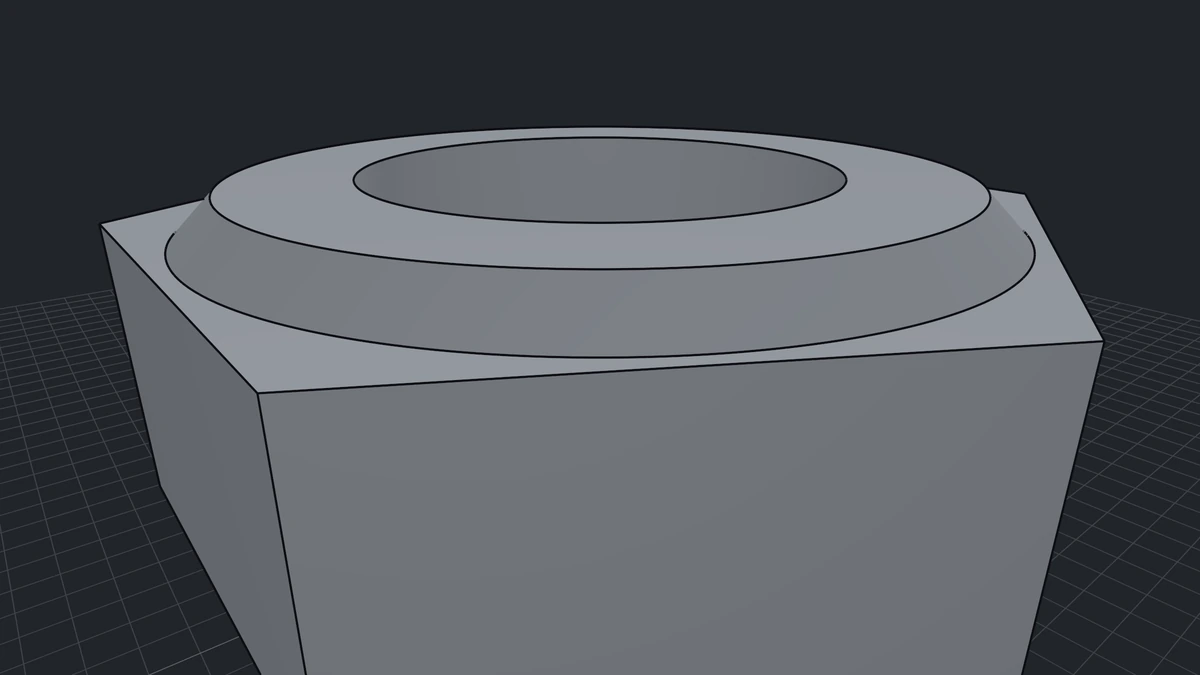
Faces are tessellated on the GPU from the exact patch, per frame, to a pixel budget you set. Zoom in and a cylinder is still a cylinder; nothing is re-meshed and there is no LOD to pop. The quality dial is the renderer's, not the model's: the on-screen sagitta a cell may bow off the true surface, in pixels.
Where an engine needs triangles, the mesher spends them by curvature and by a tolerance you name — watertight across faces, with hard edges kept hard.
In the browser
The same kernel, live
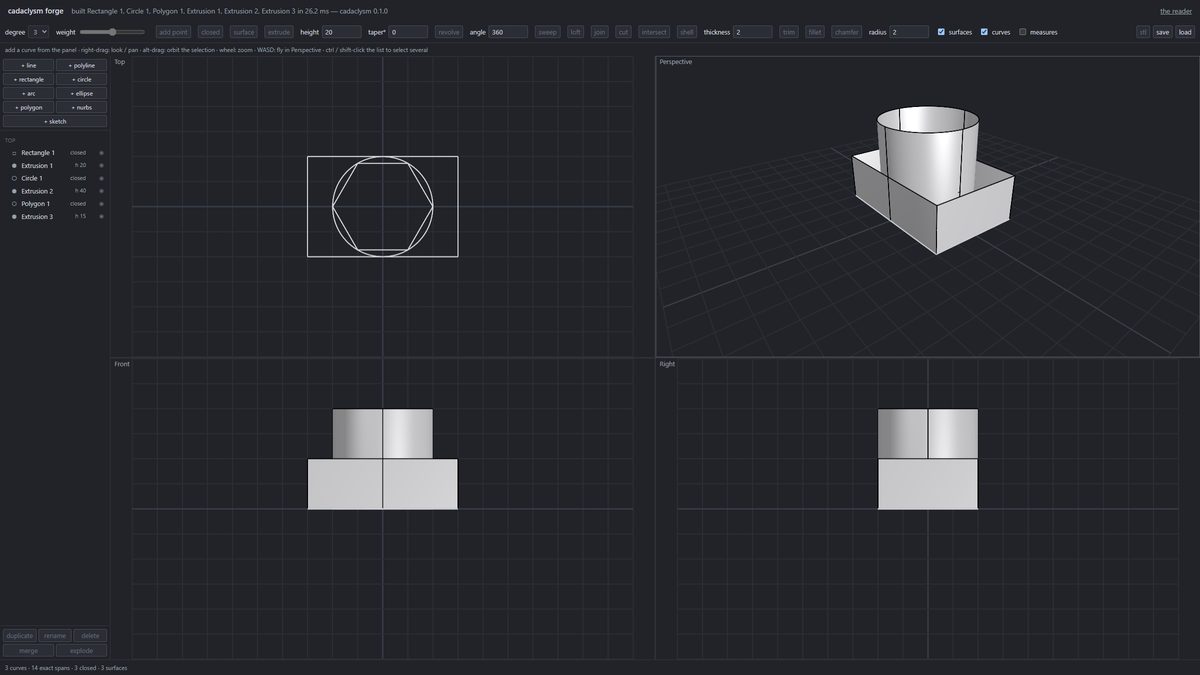
The forge is the kernel in a browser tab: draw curves on a page and each is extruded, revolved or swept as you drag, drawn exactly with the desktop viewer's own shaders, and downloadable. Its document is a replayed command history, so undo is free and a file reopens by rebuilding. The notebooks run the same wasm from Python or JavaScript, and the collision lab checks parts against each other.
Open the forge →
Status
The library ships in four flavours, from the whole kernel and every format down to the readers alone, and every license covers all four: the SDK at github.com/rdeioris/cadaclysm-sdk fetches the one you pick for your machine, free to build and test with, licensed per product, server or website when it runs in production.
Questions, parts that will not build, ideas: the Discord server is open to everyone. Write to us at info@blitter.studio about a kernel or source licence.