Blacksmith
The half that builds
The readers turn a file into a B-rep; the kernel meshes, measures and draws one. The blacksmith is the missing half: it builds a B-rep by hand — from a sketch, a primitive, a sweep — and every face it makes is an exact surface, never a sampled polyline dressed up as one. A hole is a cylinder of radius 4, not a many-sided notch; ask for a coarser mesh and you get fewer triangles on the same circle.
It ships as a shared library with a C ABI of its own (cadaclysm_blacksmith) and wrappers over that ABI — the Python one is a single file over ctypes, no generated bindings. The same code runs in the browser as the forge. The Rust crate underneath is available under an enterprise source agreement.
The idiom
A sketch, a workplane, a solid
A profile is a closed sketch in a plane — a rectangle, a circle, a polygon, a NURBS — that can carry holes. A workplane is where it sits and what happens to it: extrude it, revolve it, sweep it along a path. Then combine solids, pick edges, fillet them, and write the result out.
A face is picked by geometry — furthest along an axis, facing a direction — never by a name or a list index a caller would have to keep in sync with the shape by hand.
Python
A plate with a hole and a pin
The example the module opens with. An 80 × 40 plate, 6 thick, an 8 mm bolt hole, a pin seated on the top face, the plate's four vertical corners rounded, and the part written as STEP and meshed.
from cadaclysm_blacksmith import Axis, Profile, Selector, Workplane

outline = Profile.rect(80, 40).with_hole(Profile.circle(4))
plate = Workplane.xy().extrude(outline, 6).solid()

pin = (Workplane.from_solid(plate)
       .faces(Selector.max(Axis.Z)).workplane()   # the top face is now the sketch plane
       .cylinder(5, 10).solid())
part = plate.join(pin)

corners = [e for e in part.edges                          # the plate's own corners:
           if e.is_line and abs(e.direction[2]) > 0.99    # vertical lines
           and all(part.face_kind(f) == "plane" for f in e.faces)]  # between planes
part = part.fillet(corners, 1.0)

part.step("plate.stp")
positions, normals, indices = part.mesh(tolerance=0.05)
Every step raises at once with the library's own message rather than latching the first error until some final call. The mesh and edge polylines come back as read-only numpy views into the library's cache; copy one if it must outlive its solid.
The part on this site
Join, cut, fillet
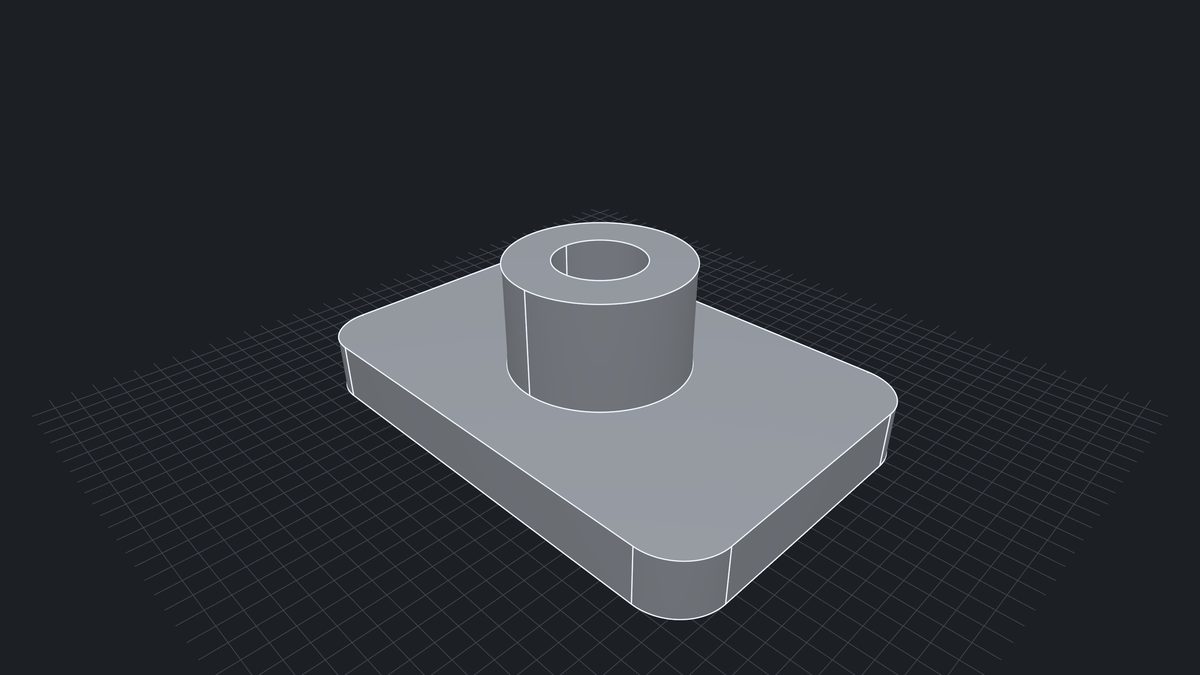
The plate pictured above is built by a script in the repository — a 120 × 80 × 14 plate, a boss joined on its top face, an 11 mm bore cut through both, the four corners filleted at 12 — and written back to an AP203 STEP that the readers open like any other.
plate = Workplane.xy().extrude(Profile.rect(120, 80), 14).solid()
boss = (Workplane.from_solid(plate)
        .faces(Selector.max(Axis.Z)).workplane()
        .extrude(Profile.circle(22), 26).solid())
part = plate.join(boss)

bore = Workplane.xy().extrude(Profile.circle(11), 60).solid().translate(0, 0, -10)
part = part.cut(bore)

corners = [e for e in part.edges
           if e.is_line and abs(e.direction[2]) > 0.99
           and all(part.face_kind(f) == "plane" for f in e.faces)]
part = part.fillet(corners, 12.0)
part.step("bracket.step")
Operations
What it builds, and what each one is
| Operation | What it makes |
|---|
extrude | A profile lifted along its plane's normal: planes and cylinders for lines and arcs, exact extrusion surfaces for Bézier and NURBS sides. Holes in the profile become inner walls. |
extrude_tapered | The same with a draft angle: tilted planes and cones, still exact. |
revolve | A profile turned about an axis, through any angle: surfaces of revolution with the sketch's own curve as generatrix. |
sweep | A profile carried along a path of lines and arcs: extrusions and revolutions stitched together, straight corners mitred with exact elliptical rims. |
loft | Two profiles bridged by ruled surfaces between matching sides; the second profile is aligned to the first. |
cuboid cylinder | Primitives, as closed solids. |
join cut common | Booleans that give back an exact B-rep whose faces are pieces of the inputs' own faces — the cylinder wall of a peg through a plate is still a cylinder. Only the new edges, where the two meet, are found on meshes at a tolerance. |
fillet | Rounds edges by face surgery, not booleans: cylinders along straight edges, torus bands along arcs, sphere patches where three edges meet. |
chamfer | The same surgery with a flat: planes and cones. |
shell | Hollows a solid to a wall thickness, with chosen faces removed so the hollow is reachable — an offset topology, not a mesh trick. |
translate rotate place | Rigid moves of a finished solid; a workplane's face selection survives them. |
step | The solid as an AP203 STEP file, every edge a true line, circle or conic; a solid whose edge has no exact curve is refused rather than written with a polygon in it. |
mesh edge_polylines | Triangles and edge lines at a tolerance you name, watertight, for an engine. |
Every sweep, revolve, loft and extrude also has an _open form that leaves the ends off and returns a sheet rather than a solid — a curve swept to a surface.
Selectors
A face is picked by geometry
| Selector | Picks |
|---|
Selector.max(axis) | The face whose boundary centroid sits furthest along the axis — max(Axis.Z) on a box at the origin is its top. |
Selector.min(axis) | The same, furthest the other way. |
Selector.normal(dir) | The face whose outward normal is most nearly the direction. |
Selector.index(i) | The face at that index in the solid's own list, for when you know. |
Edges are picked in the host language, from what the solid says about them — is_line, direction, the kinds of the two faces they sit between — which is how the examples above find "the plate's vertical corners" without naming anything.
Tolerances
Two numbers, said out loud
Booleans default to a tolerance of 0.05, the one the crate's own boolean tests run at: the new edges where two solids meet are found on their meshes, and that is the mesh's tolerance. Fillets, chamfers and shells default to 1e-6, because they cut exact surfaces and need no mesh. A long boolean reports progress through a callback rather than going quiet.
Imports
A part from a file is a solid too
Solid.open("housing.step") reads a STEP, ACIS, Rhino, OCCT .brep, IGES or IFC body as a solid to cut, fillet, join with parts built here and write back out; Solid.from_node(scene, node) takes one body of a scene the reader already has open. The reader's exact surfaces are shared with the kernel, never copied or re-meshed, so the two libraries must come from the same release — the call checks. JT and OpenSCAD files are meshes and have no body to take.
What an imported solid can do is what its geometry allows. Fillets and chamfers want edges that are lines and circles. Booleans take any surface, but the edges they trace across a free-form (NURBS) face are not always writable back to STEP. Every verb meshes its operands first, so the cost grows with the part: a 3,000-face import is seconds, not milliseconds. A body placed by a scaling transform is refused, since a brep cannot follow a scale exactly.
The forge
The same crate, live
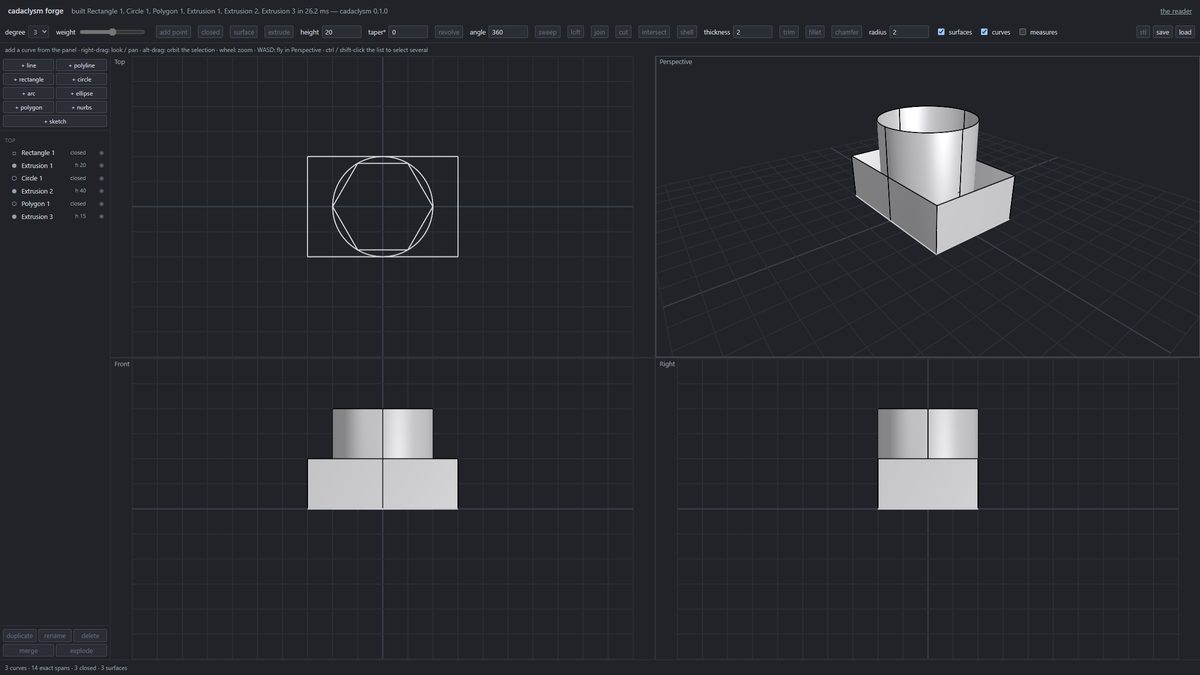
The forge is the blacksmith in a browser tab: draw curves on a page and each is extruded, revolved or swept as you drag, drawn exactly with the desktop viewer's own shaders, and downloadable as one STEP. Its document is a replayed command history, so undo is free and a file reopens by rebuilding.
Open the forge →